Free · Open Source · v1.7.1

Network diagnostics
without the noise

A lightweight network utility that gets out of your way. No bloat, no subscriptions, no setup. Open Hana and you're ready to ping, trace, sweep, scan, and diagnose — whether you're chasing a routing issue, verifying DNS, or mapping what's alive on a subnet.

Windows & Mac No telemetry No ads No data collection
Available on 🪟 Windows 10 / 11 🍎 macOS Ventura / Sonoma / Sequoia ⚡ Electron 42 🔓 GPL v3 Open Source
See it in action

Built for real network work

Every module shows results as they arrive — no waiting, no page refreshes.
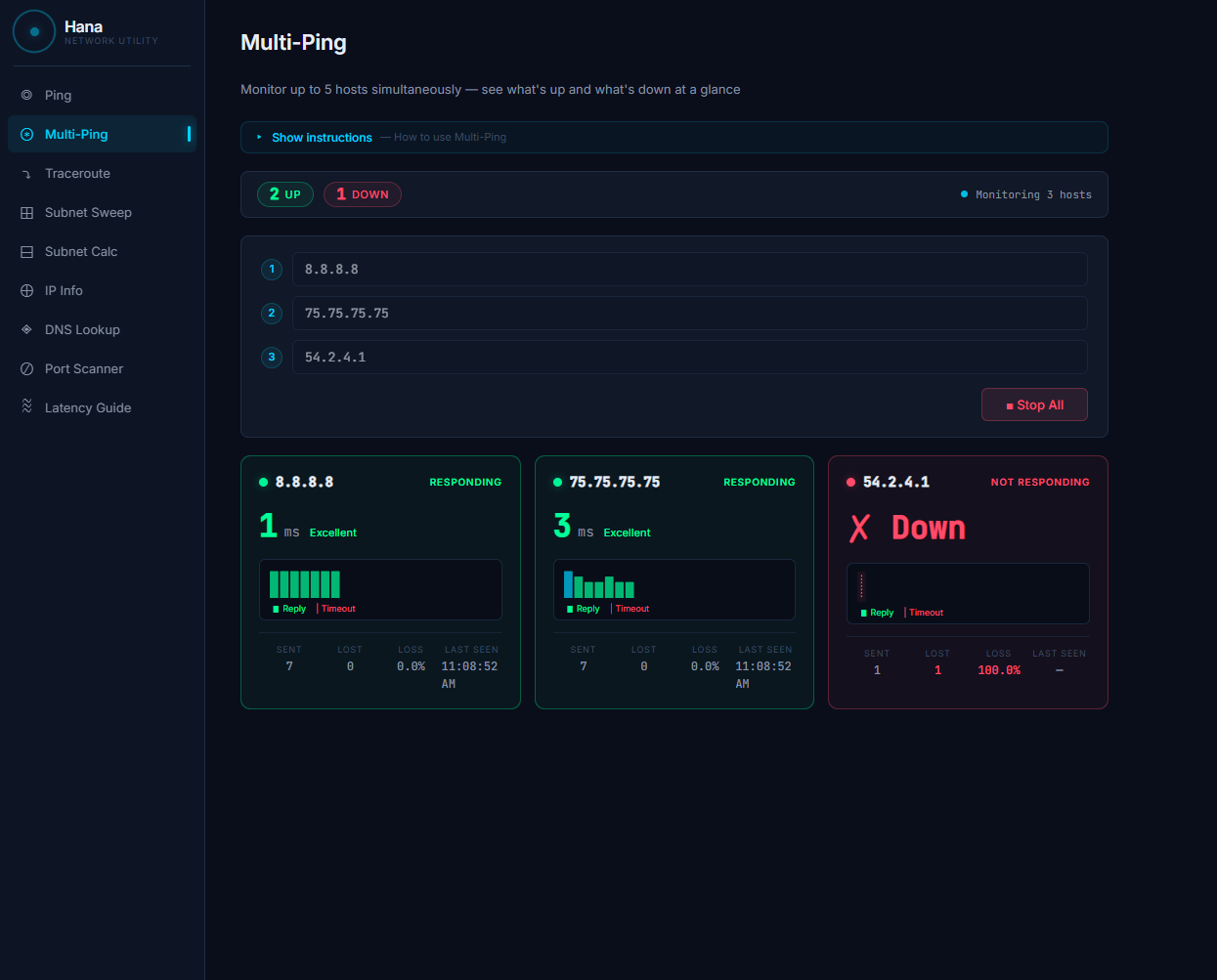
Multi-Ping showing 2 up 1 down
⊛ Multi-Ping
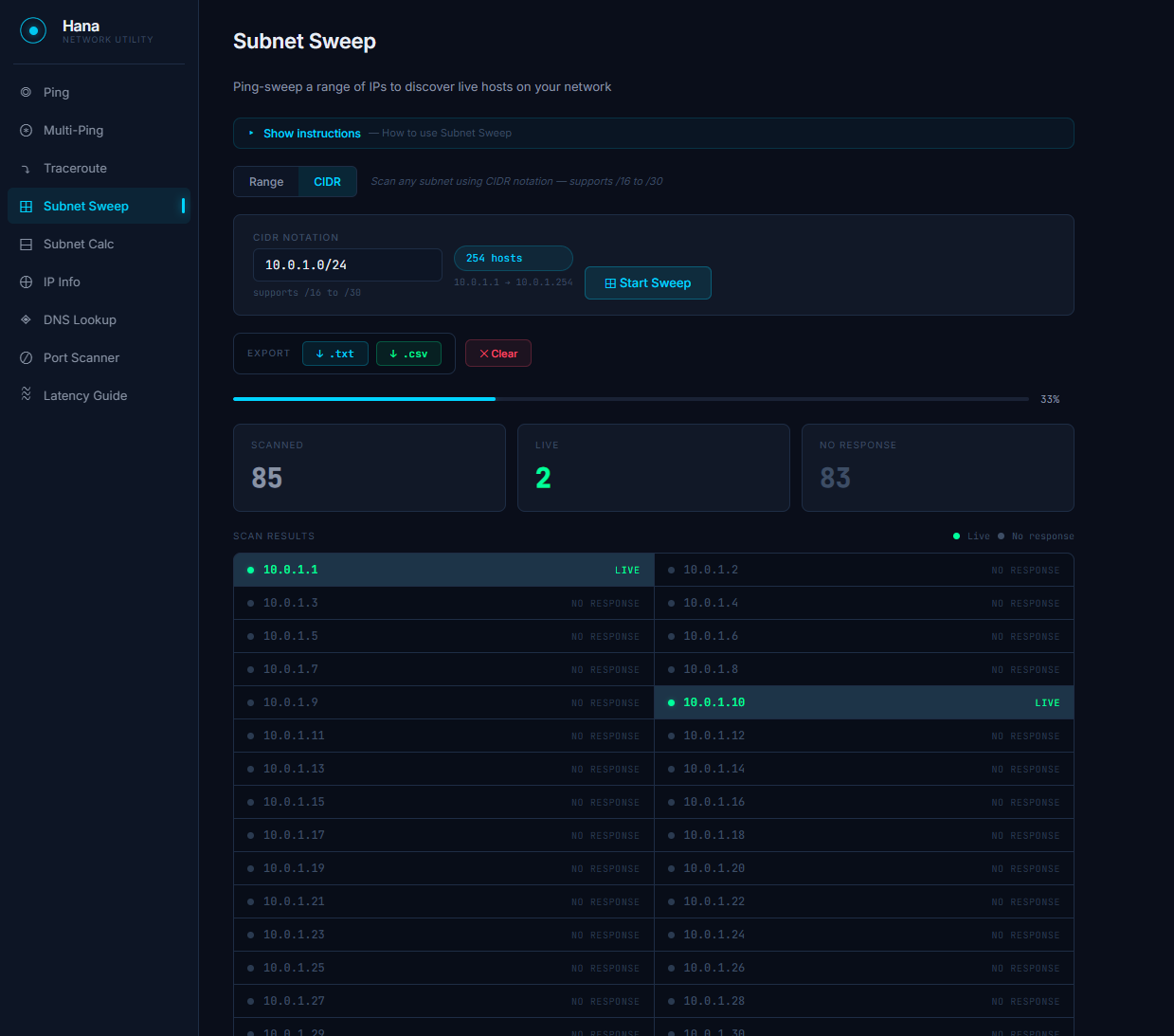
Subnet Sweep CIDR scan in progress
⊞ Subnet Sweep
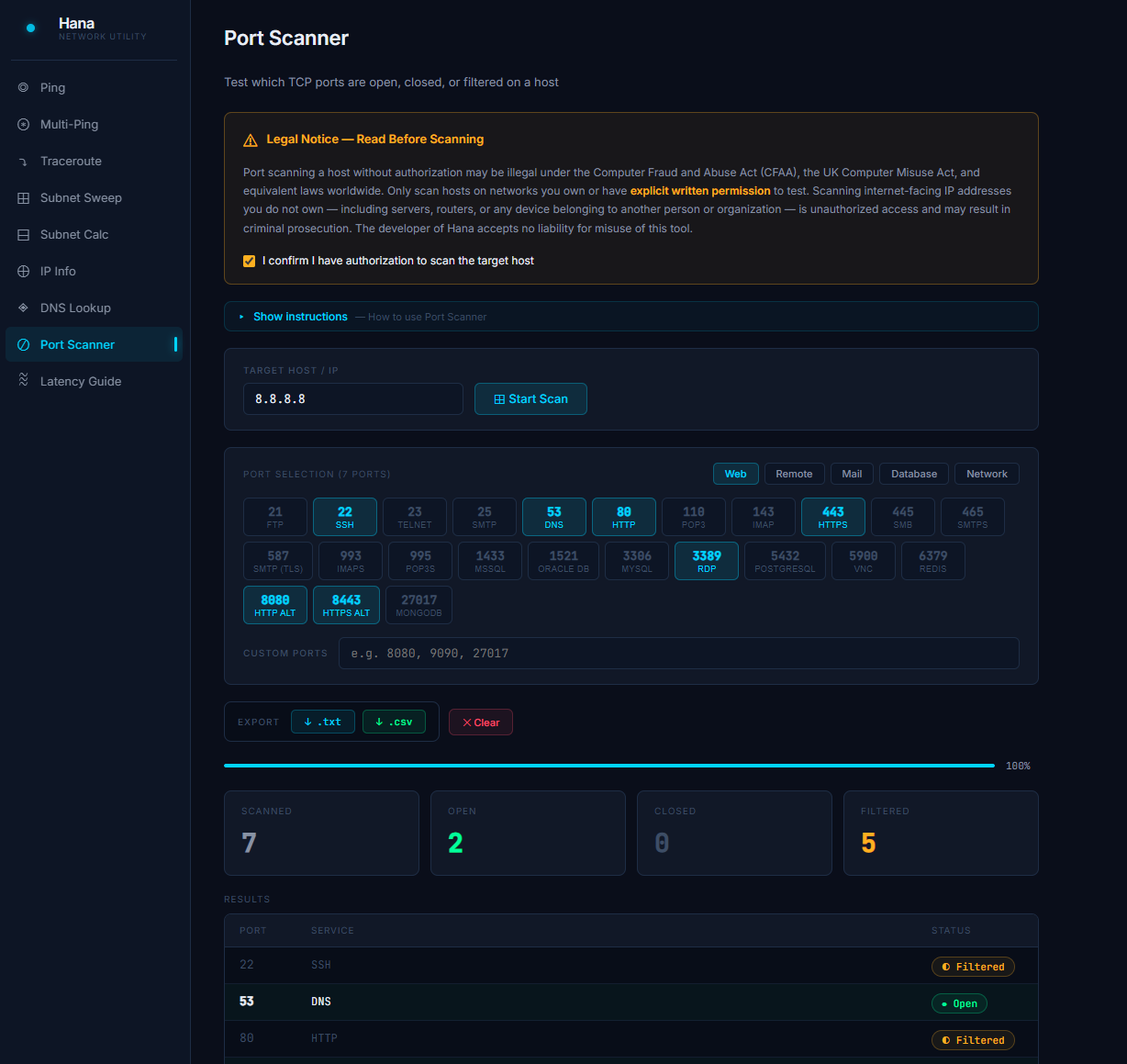
Port Scanner results
⊘ Port Scanner
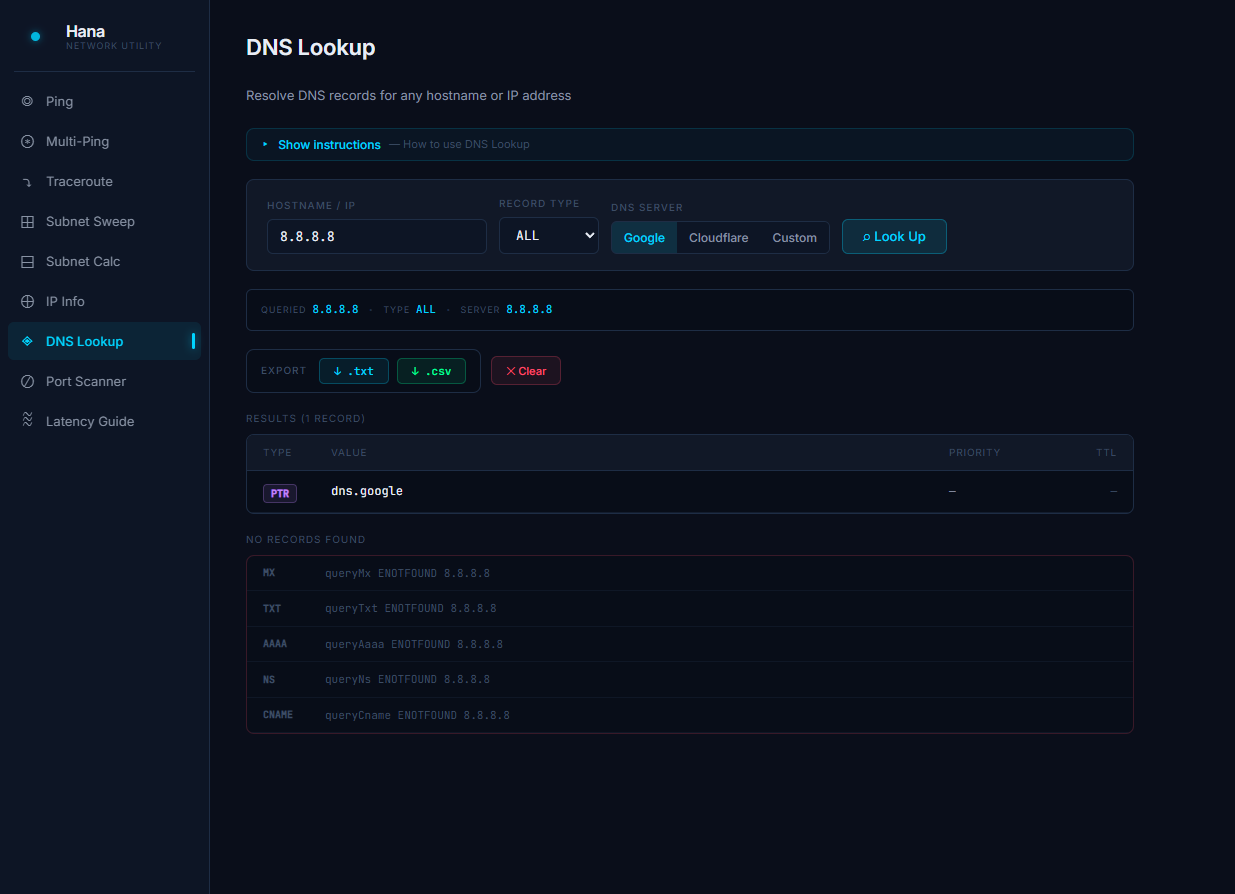
DNS Lookup results
◈ DNS Lookup
9
Modules
0
Telemetry
0
Ads
free
Always
What's inside

Every tool you reach for,
in one place

Everything you need to diagnose, map, and troubleshoot a network — in one window.

Ping
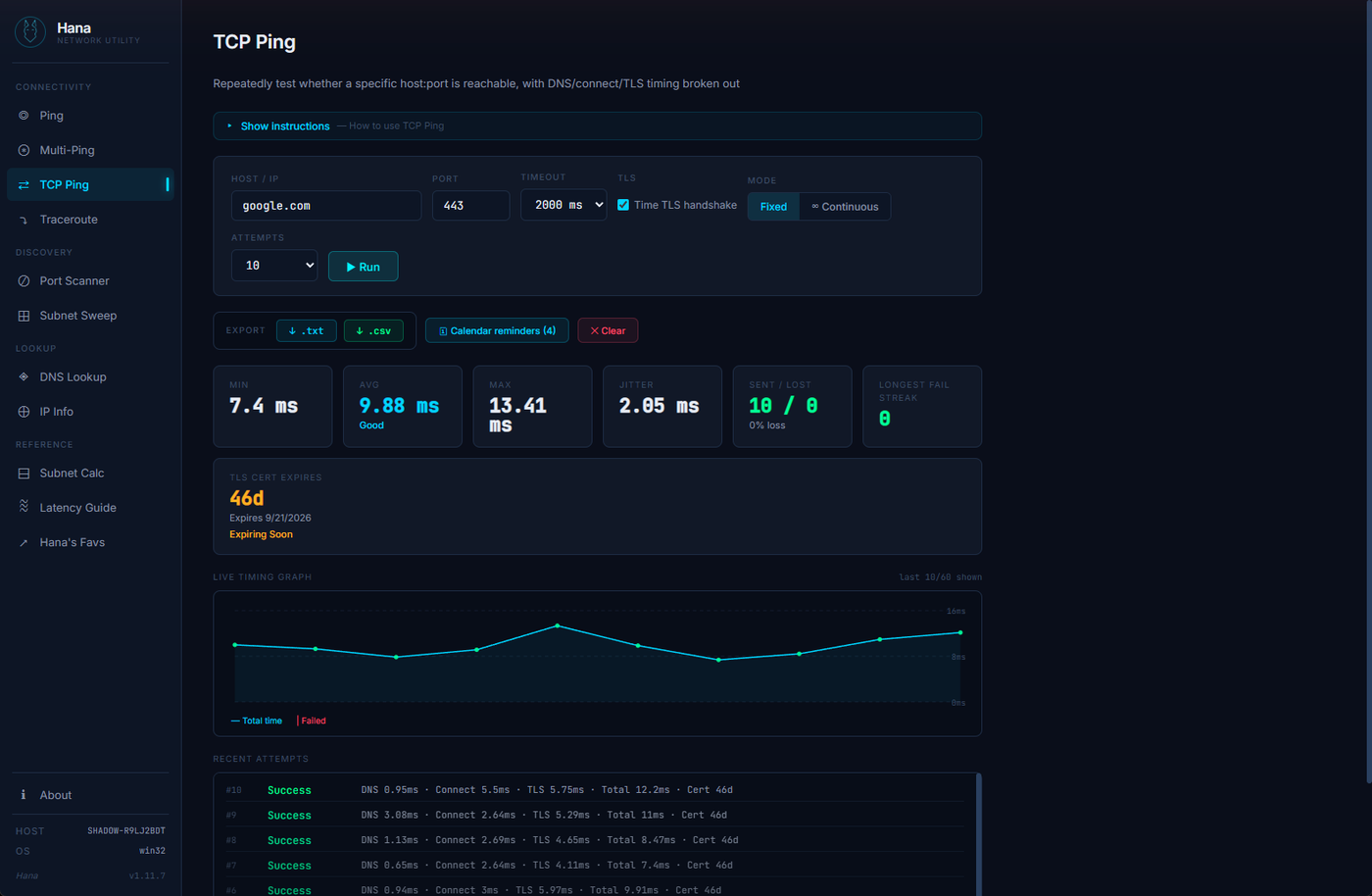
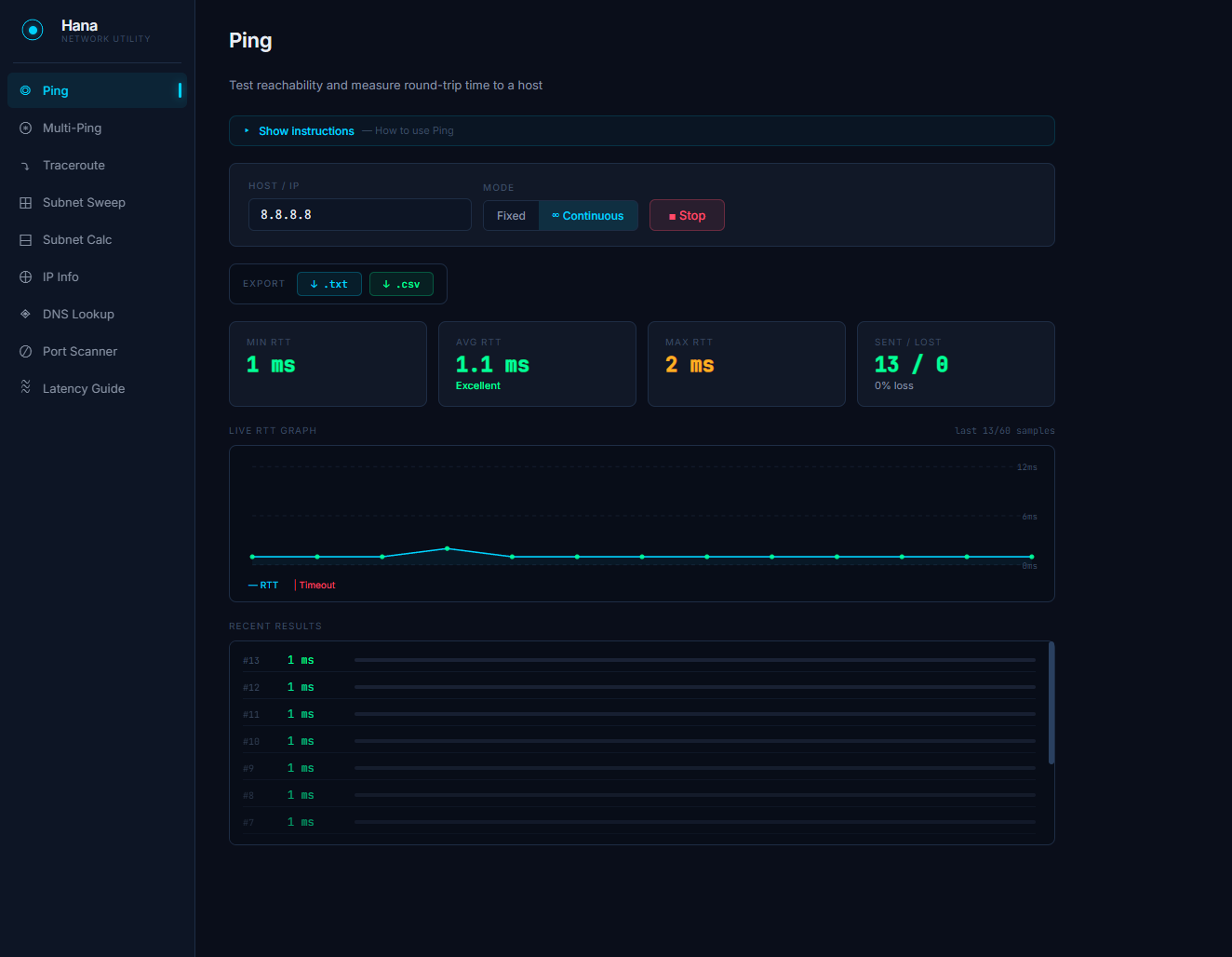
Fixed and continuous ping with real-time RTT graph, packet loss tracking, and live results as each packet responds.
Multi-Ping
Monitor up to 5 hosts simultaneously. Cards turn green when responding, red when down. Keeps running while you use other modules.
Traceroute
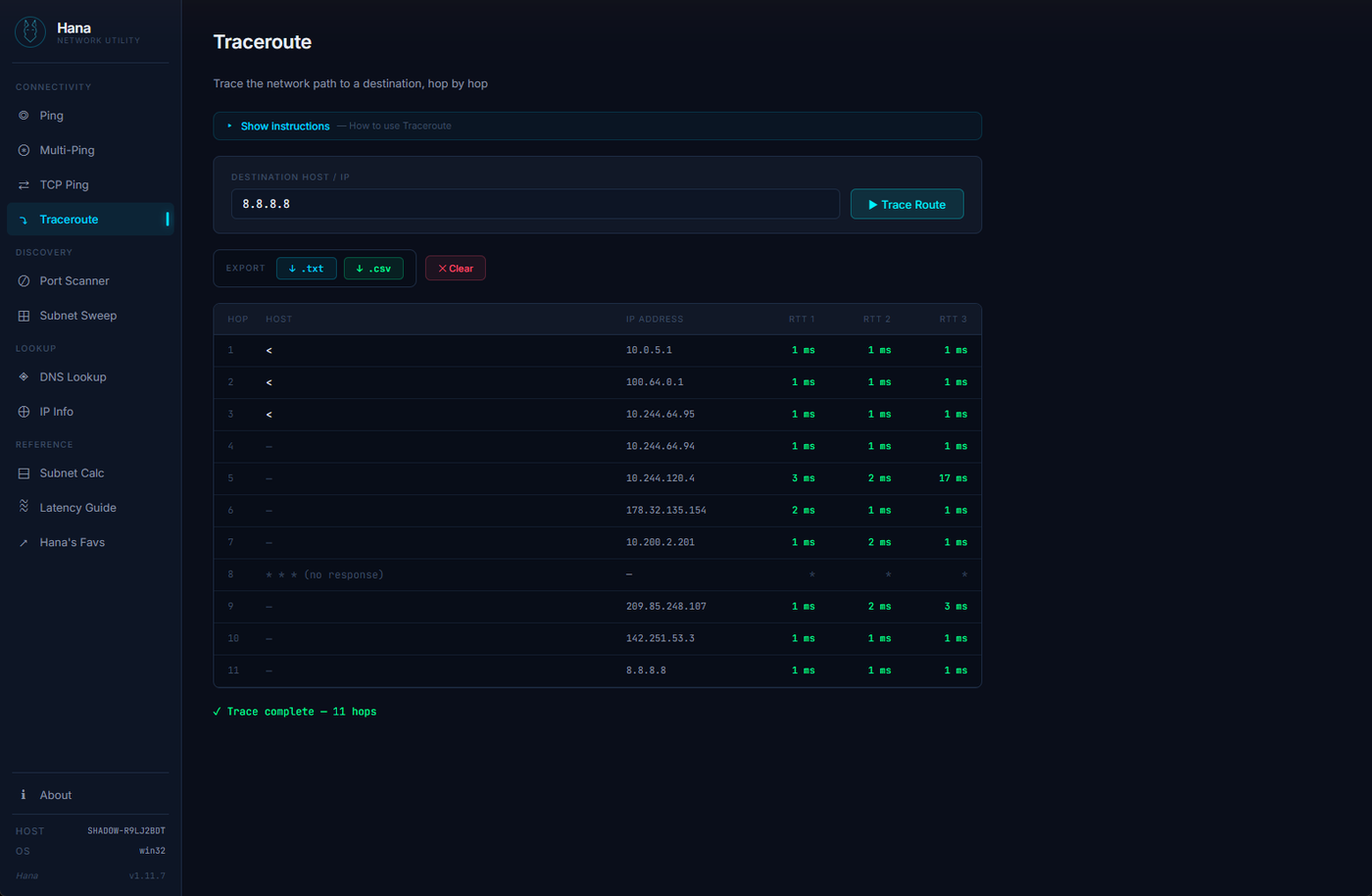
Hop-by-hop path tracing with streaming results and color-coded latency per hop.
Subnet Sweep
Ping-sweep a range or CIDR subnet to discover live hosts. Supports /16 through /30 with paginated results and stop-scan control.
Subnet Calculator
Full CIDR breakdown — network address, broadcast, host range, usable hosts, and binary view.
IP Info
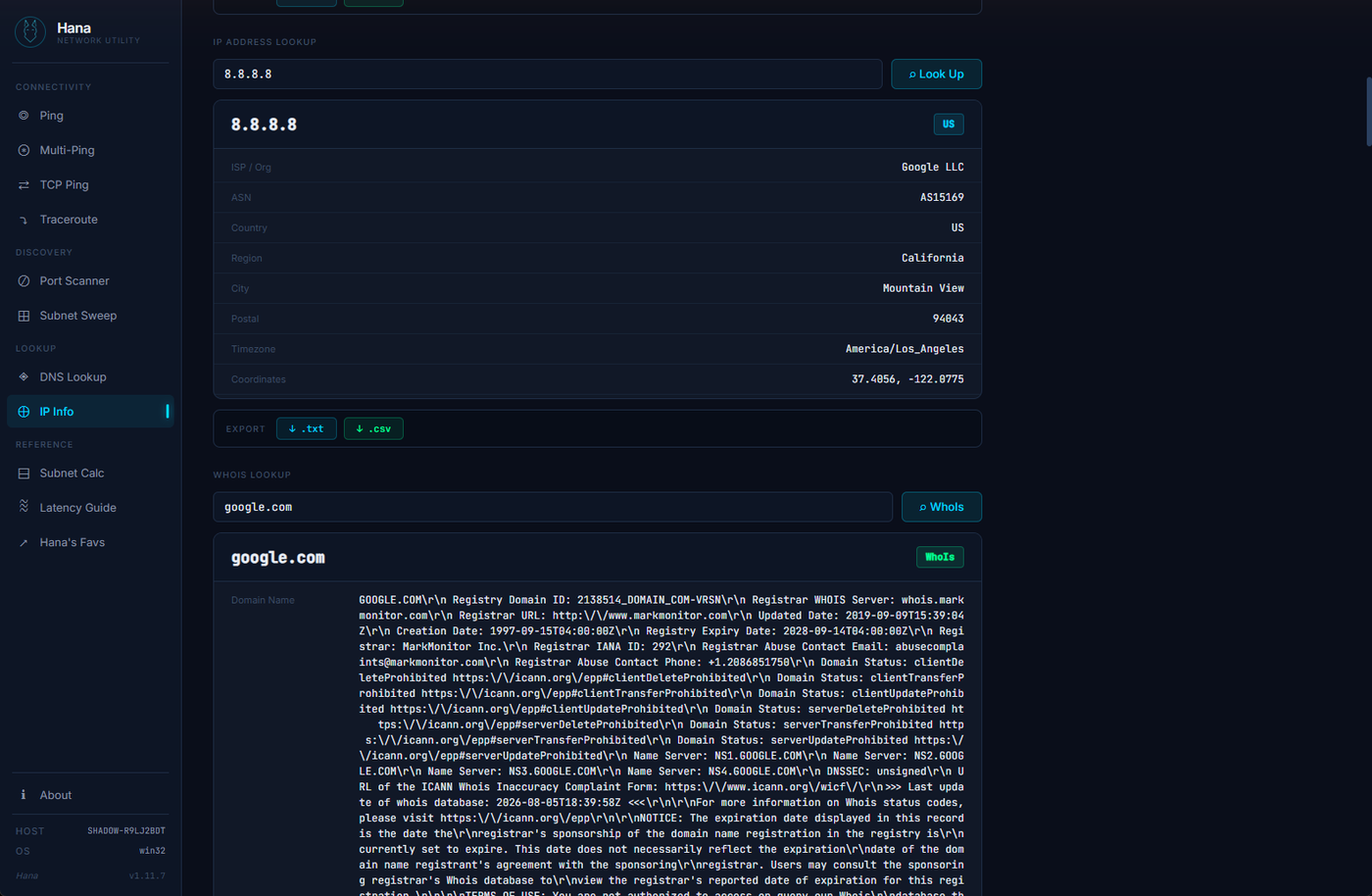
Detect your public IP, look up geolocation for any IP, and query WhoIs and RDAP records for any domain.
DNS Lookup
Resolve A, AAAA, CNAME, MX, TXT, NS, and PTR records using Google, Cloudflare, or your own internal DNS server.
Port Scanner
TCP port scanning with pre-filled common ports, group presets (Web, Remote, Mail, Database), and custom port entry.
Latency Guide
Reference tiers and per-application latency thresholds — what's acceptable for VoIP, gaming, RDP, and more.
Privacy first

Your network data
stays on your network

Hana is built by an IT consulting firm. We know what it means to work on sensitive infrastructure. We designed accordingly.

Read the Privacy Policy →
🔒
No telemetry, ever Hana never phones home. There are no usage analytics, crash reporters, or background connections of any kind.
📡
Outbound requests on demand only Network requests are made only when you explicitly trigger them. IP Info, DNS, and WhoIs queries go to public APIs — only when you ask.
👁
Fully open source Every line of code is on GitHub. You don't have to trust our privacy claims — you can verify them yourself.
🚫
No ads, no accounts, no tracking Download, install, use. No sign-up required, no license keys for personal use, no banner ads.
Get started

Install in under a minute

No dependencies, no command line required. Download, install, open.

🪟 Windows
1 Download the .exe installer from the link below
2 Run the installer and follow the prompts
3 Launch Hana from the Start Menu
⚠ Windows SmartScreen may show a warning on first launch.
Click More info → Run anyway. This is expected for unsigned apps and is safe.
↓ Download for Windows
🍎 macOS
1 Download the correct .dmgarm64 for Apple Silicon (M1–M4), standard for Intel
2 Open the DMG and drag Hana to Applications
3 Right-click the app → Open → click Open in the dialog
⚠ macOS Gatekeeper blocks unsigned apps on first launch.
Right-click → Open bypasses this. Or go to System Settings → Privacy & Security → Open Anyway.
Apple notarization is coming — this step will be removed in a future release.
↓ Download for Mac